
Callers book while they’re on the phone.
Your AI receptionist asks what the caller needs, finds a time and books the appointment on your Google Calendar during the call, day or night. You get an email summary after every call, with optional text alerts.
7 days free, cancel anytime.
Appointment Booking on Your Google Calendar, 24/7
Books during the call
Connect your Google Calendar, and it books the visit while the caller is on the line.
Works after hours
Callers can book at night and on weekends.
You stay in control
Coach how it asks about times, services and details.
Make it sound like your business
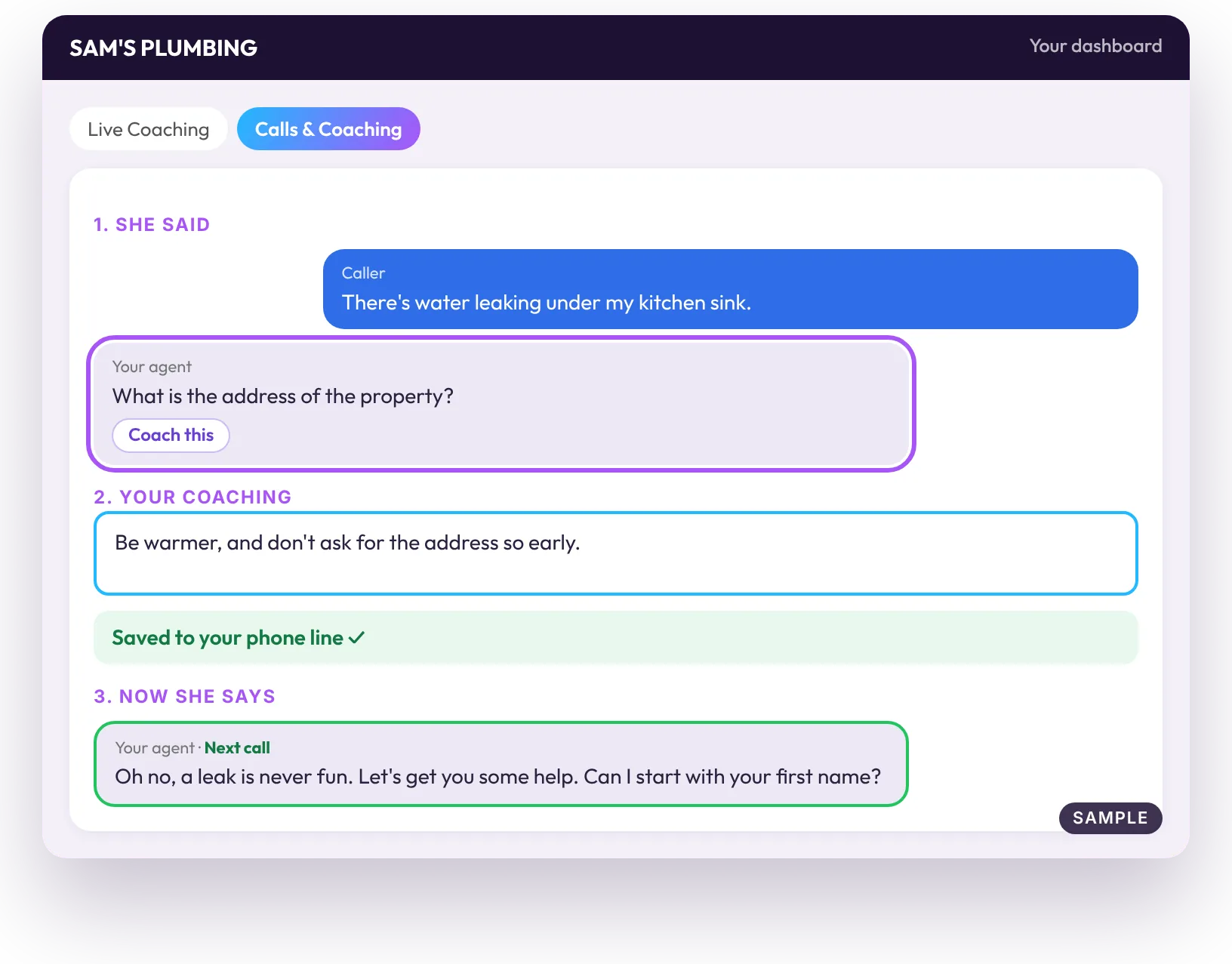
Think of your agent as your newest employee. New employees don’t always get everything right. That’s fine, you’re right there. Tap the line, type how you’d say it, and she’ll get it right on the next call. Other services give you a long list of AI instructions. We give you an employee you can coach.
- 1Listen. Hear a test or a real call. Spot a line you wouldn’t say.
- 2Coach. Tap that line. Type a quick note, as messy as you like.
- 3Hear the difference. Starting with the next call, your agent will do it your way. Say it once.
- 4Shape her. You shape her, one note at a time, until she sounds just like you.
Live Coaching includes 20 free test minutes a month.
Questions
Which calendar does it work with?
Google Calendar.
Is booking on every plan?
Yes. Every plan has every feature.
Can I choose the questions?
Yes. Add, remove or reword any of them.
Is there a trial?
Yes. 7 days free, cancel anytime.
More: How it works · Pricing · Forward calls after hours · All use cases · Yes, your business too